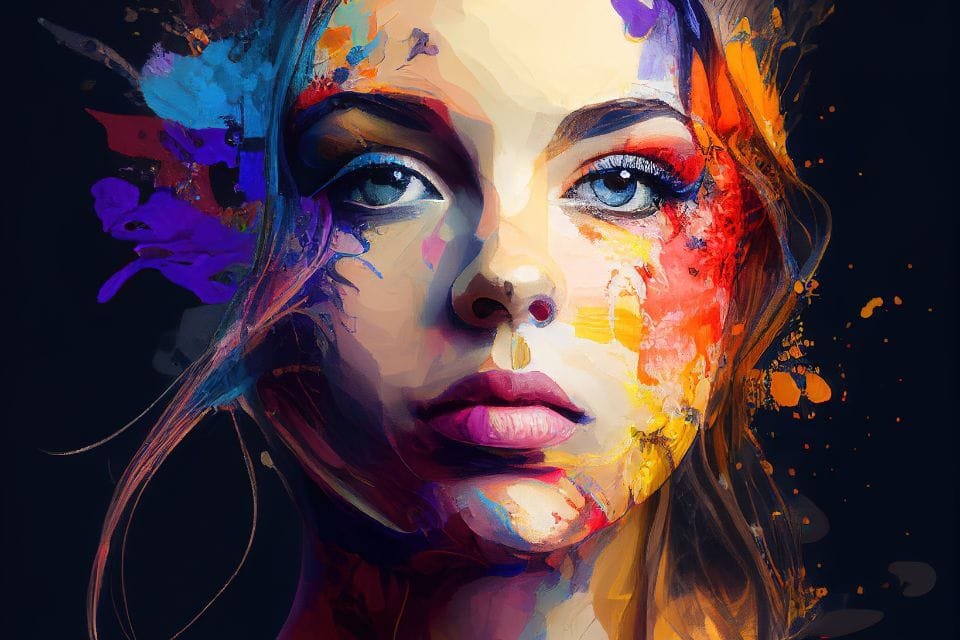
Ever stared at a blank canvas, a surge of artistic inspiration coursing through you, only to feel the brush falter, unable to translate your internal vision? In the age of artificial intelligence, that canvas is now a text box, and the brush is your words. This is the heart of Prompt Engineering for AI Adult Art—the skill of crafting precise, evocative instructions that guide AI models to manifest your most intricate, imaginative, and often, risqué, artistic visions. It’s a craft that bridges human creativity with machine capability, turning mere text into breathtaking, high-quality digital imagery.
Gone are the days when AI art was limited to abstract blurs. Today's models, like Midjourney, DALL-E, and Stable Diffusion, are sophisticated artistic collaborators, capable of generating everything from photorealistic portraits to stylized fantasy scenes. The secret to unlocking their full potential lies not in magic, but in methodical, nuanced prompt engineering.
At a Glance: Mastering AI Art Prompts
- Words are Your Brushes: Precise, descriptive language is paramount. Generic terms yield generic results.
- Know Your Canvas: Each AI model (Midjourney, DALL-E, Stable Diffusion) has its own quirks, strengths, and parameters.
- Deconstruct & Build: Break down complex scenes into core elements: subject, style, color, composition, and mood.
- Iterate & Refine: AI art is a dialogue. Expect to try, tweak, and re-prompt to achieve perfection.
- Learn from the Best: Explore communities, analyze successful prompts, and continuously experiment.
- Beyond the Basic: Unlock advanced features like negative prompting, aspect ratios, and quality enhancers.
The Unseen Hand: How Prompt Engineering Shapes AI Art
Think of AI art generation as a conversation with an incredibly talented, but literal-minded, artist. Your prompt is your request, and the more detailed, specific, and art-savvy your request, the better the final artwork will be. For AI adult art, this precision is even more critical. You're not just aiming for aesthetically pleasing; you're often navigating nuances of expression, anatomy, context, and stylistic fidelity that require a masterful touch.
AI models parse your text, breaking it down into concepts and attributes, then using their vast training data to synthesize an image. This process isn't random; it's a direct reflection of the quality and specificity of your input.
The Five Pillars of a Powerful Prompt
Every compelling AI art prompt, particularly for adult themes where subtlety and intent are key, can be broken down into fundamental components. Mastering these will elevate your creations from simple renderings to genuine artistry.
1. Subject Description: The Core of Your Vision
This is where you define what you want to see. Don't just say "a woman." Be excruciatingly specific.
- Specificity is Power: "A slender, athletic woman with vibrant auburn hair flowing over one shoulder, a mischievous smirk playing on her lips, her eyes a piercing emerald green."
- Actions & Expressions: Describe what your subject is doing and feeling. "She’s caught mid-laughter, head tilted back, one hand gently grazing a dew-kissed rose petal."
- Anatomy & Form: For adult art, details here are crucial. "Defined musculature in her arms, supple curves, delicate collarbones."
- Environment Interaction: How does the subject relate to their surroundings? "Her skin shimmering slightly under moonlight, reflecting the cool tones of a nearby forest stream."
2. Art Style References: Setting the Aesthetic Tone
The style dictates the overall look and feel of the image. This is where you transform a mere description into an artistic piece.
- Art Movements: "Impressionist painting," "Baroque sculpture," "Art Nouveau illustration," "Cyberpunk aesthetic."
- Techniques: "Oil painting," "charcoal sketch," "digital art," "photorealistic," "cinematic photography," "cel-shaded animation."
- Specific Artists/Influences: "Inspired by the dreamlike qualities of Klimt," "reminiscent of Boris Vallejo's fantasy art," "in the style of a classic pin-up by Vargas."
- Medium & Finish: "High-gloss magazine cover," "textured watercolor," "smooth vector graphic."
3. Color Palette Specifications: Crafting Mood and Harmony
Colors aren't just decorative; they are emotional conductors. Intentional color choices significantly impact the viewer's perception.
- Mood & Emotion: "Warm, inviting golds and ambers," "cool, mysterious blues and deep purples," "vibrant, energetic neons," "monochromatic grayscale with a single splash of crimson."
- Color Schemes: "Complementary colors (orange and blue)," "analogous palette (greens, blues, teals)," "split-complementary scheme."
- Specific Hues: "Sapphire blue," "emerald green," "rose gold," "sepia tones."
- Lighting Interaction: "Bathed in the soft, diffused light of a cloudy morning," "harsh, dramatic chiaroscuro lighting."
4. Composition Guidelines: Framing Your Masterpiece
Composition defines the arrangement of elements within your frame, guiding the viewer's eye and emphasizing your subject.
- Perspective & Angle: "Low-angle shot, looking up," "overhead view," "close-up portrait," "wide-angle vista."
- Subject Placement: "Rule of thirds composition, subject off-center," "centered, symmetrical composition," "leading lines drawing focus to the background."
- Foreground, Mid-ground, Background: "Delicate spiderwebs in the foreground, subject in the mid-ground, a hazy, distant mountain range in the background."
- Framing Elements: "Framed by arching willow branches," "peering through a narrow window."
5. Mood and Atmosphere Indicators: The Emotional Resonance
This element adds the intangible quality, the feeling, to your image, often conveyed through lighting, weather, and environmental details.
- Lighting: "Golden hour glow," "dramatic moonlight," "soft, romantic candlelight," "harsh, fluorescent glow."
- Weather/Environment: "Misty forest," "stormy seascape," "cozy, rain-streaked window," "scorching desert sun."
- Emotional Qualifiers: "Ethereal," "gritty," "serene," "sensual," "mysterious," "playful."
Prompt Engineering in Practice: Techniques for Visual Mastery
Understanding the elements is one thing; effectively combining them is another. These techniques help you translate complex ideas into AI-readable instructions.
Descriptive Language Optimization: Beyond the Obvious
Instead of "a tree," try "an ancient weeping willow with gnarled, twisted branches draped in shimmering silver moss, its leaves a deep, melancholic emerald." For adult art, this level of detail allows the AI to render features, textures, and expressions with remarkable accuracy and nuance. This is where the subtle differences in a pose, the texture of skin, or the glimmer in an eye can make all the difference.
Visual Style Implementation: Commanding the Canvas
Explicitly name the artistic influences. If you want a fantasy aesthetic, don't just hope for it. Specify "in the style of Frank Frazetta," or "digital painting, high fantasy art, intricate details." This primes the AI to draw upon specific visual vocabularies.
Composition Framework Development: Architecting the Scene
Break down your scene into layers. "Foreground: delicate wild flowers. Mid-ground: subject in a flowing gown, facing away, looking at the vista. Background: a sprawling, bioluminescent forest." This structured approach helps the AI understand spatial relationships.
Color Theory Application: Painting with Purpose
Don't just list colors. Describe their relationship. "A harmonious analogous palette of deep blues, teals, and greens, punctuated by the complementary splash of burnt orange from the sunset."
Platform-Specific Optimizations: Knowing Your AI Artist
While the core principles remain, each AI model has its unique syntax and preferred ways of receiving instructions. Tailoring your prompts to the platform will yield superior results.
Midjourney: The Artistic Visionary
Midjourney excels at highly stylized and often ethereal imagery. It's particularly adept at interpreting abstract artistic concepts.
- Prefix: Always start with
/imagine:(or just/iin Discord). - Stylize Parameter (
--stylizeor--s): Controls how artistic or opinionated Midjourney is. A lower value (e.g.,--s 50) means it sticks closer to your prompt; a higher value (e.g.,--s 750or even--s 1000) lets it take more artistic liberties, often resulting in stunning, unexpected styles. - Aspect Ratio (
--ar): Define the width-to-height ratio. Common ratios include--ar 16:9(widescreen),--ar 9:16(portrait),--ar 3:2, or--ar 1:1(square). - Quality (
--q): Controls rendering quality.--q 2gives higher detail but takes longer and uses more GPU minutes.--q 0.5is faster but less detailed. - Chaos (
--chaosor--c): Introduces variability. A higher value means more diverse and unexpected results. - Midjourney Example:
/imagine: a cyberpunk femme fatale, sleek neon reflections on her leather jacket, intricate mechanical arm, looking directly at the viewer with a knowing smirk, rain-slicked futuristic city street at night, dramatic chiaroscuro lighting, volumetric fog, hyper-detailed, synthwave aesthetic –s 250 –ar 9:16 –q 2
DALL-E: The Precise Illustrator
DALL-E is known for its ability to generate specific objects and scenes accurately. It often leans towards a more illustrative or photographic style.
- Explicit Style: Always include "digital art," "photograph," or "illustration" to guide its output.
- Resolution Qualifiers: Add terms like "ultra-high-resolution," "4K quality," "8K render" to push for detail.
- Artistic Influences: DALL-E responds well to direct mentions of artists or movements.
- Clarity over Poetry: While descriptive, DALL-E often prefers clear, concise instructions over overly poetic language.
- DALL-E Example:
Digital art of a serene elven sorceress, long silver hair adorned with moonstone beads, wearing a flowing, translucent gown of deep sapphire, sitting cross-legged in a moonlit glade, casting a soft magical glow, bioluminescent flora around her, inspired by the ethereal fantasy art of Yoshitaka Amano, ultra-high-resolution, 4K quality.
Stable Diffusion: The Customizable Powerhouse
Stable Diffusion offers unparalleled flexibility, especially with its ability to use negative prompts and custom models. It's a favorite for its granular control.
- Quality Boosters (Main Prompt): These are keywords you add to ensure high-fidelity output.
masterpiece, best quality, ultra-detailed, sharp focus, 8K, photorealistic, cinematic lighting, intricate details, vibrant colors, soft bokeh, intricate patterns, volumetric light.- Negative Prompting: This is a game-changer. You explicitly tell the AI what not to include, preventing common artifacts or undesirable elements.
blurry, low quality, pixelated, distorted, oversaturated, unrealistic, bad anatomy, deformed, ugly, extra limbs, missing limbs, text, watermark, signature, poorly drawn face, disfigured, monochrome, grayscale.- Sampling Techniques: Different algorithms for noise reduction.
Euler aandDPM++ 2M Karrasare popular choices. - Generation Parameters: These are often set in the UI:
Steps: How many iterations the AI takes (higher = more refined, e.g., 50).CFG Scale: How strongly the AI adheres to your prompt (higher = more adherence, e.g., 7-12).Seed: A unique number that reproduces a specific image result.Width/Height: Image dimensions (e.g., 1024x768).Model: The specific pre-trained AI model used (e.g.,RealisticVisionV5for photorealism,AnythingV5for anime style).- Stable Diffusion Example (Main Prompt):
A highly detailed and photorealistic portrait of a powerful succubus queen, crimson skin, large bat-like wings unfurled, ornate dark obsidian armor, glowing golden eyes, sitting on a throne of molten rock, surrounded by subtle plumes of dark smoke and embers. Ultra-realistic, 8K resolution, cinematic lighting, intricate details, vibrant colors, sharp focus, masterpiece, best quality. - Stable Diffusion Example (Negative Prompt):
blurry, low quality, pixelated, distorted, oversaturated, unrealistic, bad anatomy, deformed, ugly, extra limbs, missing limbs, text, watermark, poorly drawn face, disfigured, monochrome, grayscale, cartoon, 3d render, illustration.
By leveraging tools like our Nudes AI Generator, you can see firsthand how these parameters and descriptive prompts translate into a vast array of high-quality, adult-themed images, giving you a powerful tool for your creative expression.
Small Additions, Massive Impact: Refining Your Art
It’s often the seemingly minor tweaks that transform a good AI-generated image into an outstanding one. Think of these as the final touches an artist applies.
- For Portraits:
- Add details on specific facial features: "almond-shaped eyes," "full, luscious lips," "a slight dimple."
- Hair texture and movement: "silky, wind-blown hair," "braided locks with iridescent beads."
- Skin details: "pearly skin," "freckles dusting her nose," "soft, dewy complexion."
- Expression nuances: "a hint of melancholy," "a playful glint," "a serene, distant gaze."
- For Landscapes/Environments:
- Lighting descriptors: "sun-dappled forest floor," "moonlight filtering through clouds," "dramatic volumetric light."
- Atmospheric effects: "gentle mist," "swirling fog," "sparkling dust motes."
- Flora/Fauna specificity: "luminescent fungi," "gnarled ancient trees," "exotic birds with vibrant plumage."
- For Abstract Art:
- Texture cues: "smooth, reflective surfaces," "rough, granulated textures," "organic, flowing forms."
- Movement: "swirling energy patterns," "cascading light trails," "fractured geometric explosions."
By adding these kinds of specific details, you guide the AI towards a more refined, professional, and often breathtaking output, regardless of the subject matter.
Beyond the Image: The Versatility of Prompt Engineering
While our focus here is on visual art, prompt engineering is a foundational skill for interacting with all forms of generative AI. Understanding its principles empowers you across various creative domains.
- AI Music Generation: Imagine instructing an AI to compose. Your prompt would include:
- Genre/Style: "90s alternative rock," "symphonic metal," "lo-fi chillhop."
- Mood/Emotion: "Melancholic yet hopeful," "driving and energetic," "ambient and reflective."
- Instrumentation: "Electric guitar riff, heavy drums, prominent bassline, ethereal synthesizers."
- Structure/Tempo: "Fast tempo, verse-chorus structure, soaring guitar solo at 2:00 mark."
- AI Web Development: For generating code or components:
- Goal: "Responsive user profile card," "interactive navigation menu with hover effects."
- Technology Stack: "HTML, CSS (TailwindCSS framework), vanilla JavaScript."
- Component Breakdown: "Avatar image, username, brief bio, three social media icons."
- Styling/Functionality: "Dark mode theme, smooth transitions, on-click expands bio."
This versatility underscores prompt engineering as a core competency for the future of creative technology.
Best Practices for Your AI Art Workflow
Becoming a master prompt engineer isn't a one-and-done affair; it's a continuous journey of learning and refinement.
Workflow Optimization: Streamlining Your Creative Process
- Develop Templates: Create basic prompt structures for different styles (e.g., "photorealistic portrait," "fantasy landscape") and fill in the specifics.
- Build a Prompt Library: Keep a detailed log of your successful prompts and the images they generated. Note what worked and what didn't. This becomes your personal "grimoire" of AI spells.
- Create Style Guides: For consistent results, document your preferred stylistic elements, lighting, and compositional choices.
- Document Results: Screenshot your generated images alongside their prompts. This helps you track progress and identify patterns.
Community Engagement: Learn and Grow Together
- Join AI Art Communities: Platforms like Discord, Reddit (r/midjourney, r/stablediffusion), and dedicated forums are invaluable.
- Share Prompts (and Learn): Don't be afraid to share your successes and failures. Analyze prompts from others, especially those generating results you admire.
- Analyze Trends: What styles are popular? What new techniques are emerging? Staying current keeps your art fresh.
- Collaborate: Work with others, combine ideas, and push the boundaries of what's possible.
Continuous Improvement: The Art of Iteration
- Regularly Practice: The more you prompt, the better you become. Treat it like practicing an instrument.
- Refine Techniques: Experiment with new parameters, try different negative prompts, or combine styles you haven't before.
- Experiment with Styles: Don't get stuck in a rut. Push yourself to explore new aesthetics.
- Analyze Results Critically: Don't just accept what the AI gives you. Ask: How can this be better? What's missing?
Future-Proofing: Staying Ahead of the Curve
- Adapt to New AI Model Capabilities: AI models are constantly evolving. New versions bring new features and improved understanding. Stay updated.
- Embrace Advanced Prompt Techniques: Techniques like prompt weighting, using image prompts, or blending multiple ideas are always emerging.
- Monitor Platform Updates: Midjourney, DALL-E, and Stable Diffusion frequently roll out updates. What worked yesterday might be even better today with a new parameter.
Unleashing Your Inner Artist with AI
Prompt engineering for AI adult art is more than just typing words; it's a new form of artistic expression. It empowers creators to visualize and share complex, intimate, and often boundary-pushing ideas without needing traditional artistic skills. By understanding the core elements, leveraging platform-specific optimizations, and committing to continuous learning, you can transform your wildest imaginings into stunning visual realities. So, dive in, experiment, and let your words paint the masterpieces you've always dreamed of. The canvas is limitless, and your only constraint is your imagination.